Fur Hub for Fur Infection LITE
The keyless hub players keep attaching to HopeStar infection games.
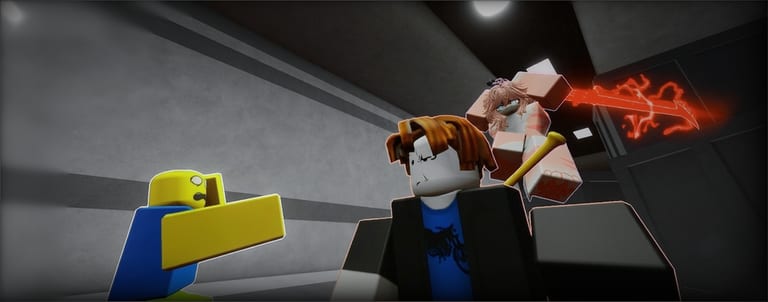
Fur Hub is the named GUI that keeps getting re-uploaded for HopeStar’s infection titles. It is obfuscated on purpose. Later changelogs claimed Xeno support after an earlier note said Xeno was unsupported. Treat the version in your clipboard as a different product from the version in a six-month-old thumbnail.
This page is a feature map, not a support contract. Pair it with script safety. If you want to play the game, close this tab and open how to play as a human.
Feature map (as advertised)
Combat
- Hit assist / hit aura with extended range
- Punch stat readouts (called broken on older builds)
- Boss hit-aura notes from a Halloween pass (Outbreak-era, likely irrelevant on LITE)
Infected / human cheats
- Auto grab / grab teleport (called maybe broken after updates)
- Anti-grab (listed as WIP)
- Anti-furry
- Anti-puddle (skips goo)
- Delete spawn kill fields (lets a morph walk into human spawn)
- Delete anti-combat protection
Movement and world
- Limited speed hacks (Outbreak users mentioned staying near walkspeed 29)
- No jump cooldown
- ESP on players
Meta
- Staff check
- Extra anti-cheat toggles
- FE audio / decal spam on some builds (this is how you get a server emptied and then banned)
- “Remove game files” style buttons — do not click things you cannot explain
If a toggle is labeled WIP or broken in the hub’s own changelog, it is not secretly fixed because you are on LITE.
What to enable if you ignore the safety page anyway
Enable ESP first. It is the only feature that teaches you the real game: where humans actually walk. Then, if you are going to play infected, a grab helper. Hit aura on a human in a public server is the fastest way to collect reports. Speed above the number the last Outbreak user mentioned is how anti-cheat notices you.
Do not enable spawn kill-field delete unless you like being the reason HopeStar tightens the field for everyone. That toggle is why humans complain that morphs live in spawn. It is also why the next patch might make your hub do nothing.
LITE attach test
- Join place
125466848790058. - Execute once.
- If the GUI never opens, stop. You probably have an Outbreak loader.
- If the GUI opens and ESP shows nobody, you are reading the wrong folders.
- After any
[UPD]on patch notes, assume remotes moved.
Related legitimate pages
Grab without a hub: controls and play as infected. Puddle knowledge without anti-puddle: mutations. Other scripts: scripts hub.
Toggles that waste a session even before a ban
Staff check is useful if you actually leave when it lights up. It is useless if you keep hit aura on in front of a moderator. Anti-furry sounds like a human crutch and turns into a crutch: you never learn a cooldown. Anti-puddle means you will walk through goo on a patch day when the toggle silently fails and morph anyway. Speed that “feels fine” on an empty private server is a beacon on a 30-player public.
Audio spam and decal spam are grief tools, not infection tools. They do not help a grab. They make 29 people click Report. If your hub build still shows those buttons, leave them off. If you came here for that, you wanted a different wiki.
After any HopeStar [UPD], test ESP alone. If ESP is empty, the rest of the GUI is cosplay. Close it. Play Getting Started until a new loader actually attaches to LITE, not to Outbreak’s melee folder names.
Frequently Asked Questions
Quick answers for Fur Infection LITE on Roblox.
Is Fur Hub keyless?
It has been posted as keyless. That can change on the next re-upload. A key site is not an official HopeStar page.
Does Fur Hub support Xeno?
Changelogs disagree across versions. Try once on an alt. Do not sit in a loop of executors on your main.
Why is auto-grab broken?
HopeStar patches remotes. Auto-grab was already marked maybe-broken after an Outbreak update. LITE can differ again.
Can I use Fur Hub in VR?
The GUI is a 2D overlay. VR pointing at it is miserable. Flatscreen alts are how people actually click the toggles.